YouTube ReVanced Complete Guide 2026 — Install, Features & Errors Fix
Let’s Talk About the Real Problem First
This YouTube ReVanced Complete Guide will help you install the app, fix errors, and understand all major features. We, have all been there. You open YouTube, find a great video, hit play — and boom. An ad. Then another one. By the time the actual video starts, you have already lost interest.
This is the everyday reality for millions of YouTube users. And honestly? It gets old really fast.
That’s where YouTube ReVanced comes in.
It’s not some random sketchy app — it is one of the most trusted modified apps in the Android world right now. People who try it once rarely go back to the original YouTube. In this guide, I’ll show you exactly what it is, how to install it, and how to fix issues if something goes wrong. Let’s get into it.
What is YouTube ReVanced, Exactly?
Simply put — it is YouTube , but the version you actually wished existed.
ReVanced is a modified version of the official YouTube app that unlocks features normally locked behind YouTube Premium. No subscription. No credit card. Just download, install, and enjoy.
It’s built for people who:
Features That Actually Make a Difference
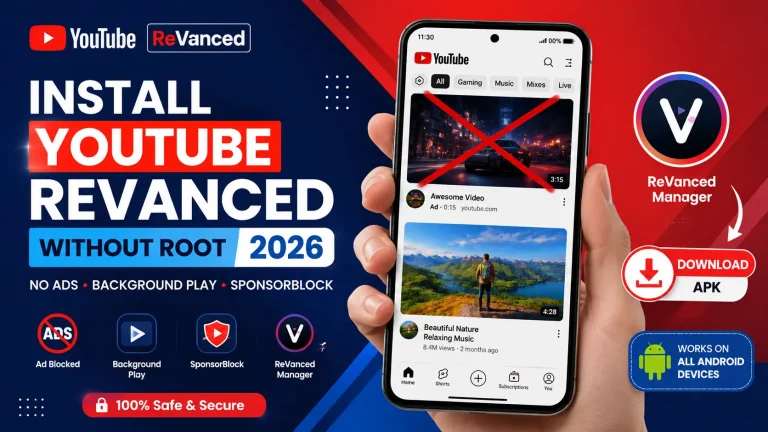
No Ads — Like, Zero
This is the big one. No pre-roll ads, no mid-video ads, no banner ads sitting at the bottom of your screen. You just press play, and the video starts. That’s it. Sounds simple, but once you experience it, you’ll never want to go back.
Background Playback
This feature alone is worth the install. With the original YouTube app, the moment you switch to another app or lock your phone, the video stops. ReVanced removes that limitation completely. Your music, podcast, or lecture keeps playing no matter what you’re doing on your phone.
SponsorBlock — Goodbye Sponsored Segments
You know those parts inside videos where the creator says “this video is sponsored by…” and talks for two minutes about something you don’t care about? ReVanced skips those automatically. You don’t even have to do anything
Full Customization
Change the theme, adjust playback settings, tweak the layout — ReVanced puts you in control of how the app looks and feels. It’s your YouTube, your way.
Cleaner Interface with Dark Mode
The app just feels smoother and lighter than the original. And dark mode makes late-night watching much easier on the eyes.
How to Install YouTube ReVanced — Step by Step
This YouTube ReVanced Complete Guide covers installation, features, fixes, and common troubleshooting steps for Android users.
A lot of people think this is complicated. It’s really not. Just follow these steps and you’ll be done in a few minutes.
Step 1 — Download These Three Files
Before anything else, you need:
Don’t skip any of these. All three are important.
Step 2 — Install MicroG First
MicroG is what allows you to log in with your Google account. Install this before anything else; otherwise, the login simply won’t work.
Step 3 — Open ReVanced Manager
Launch the manager app and select YouTube from the list. It will show you everything you need right there.
Step 4 — Apply the Patches
Stick with the recommended patches — they work best for most users. Hit install and just wait. It takes a minute or two.
Step 5 — Open the App and Enjoy
Once it is done, open YouTube ReVanced. No ads. Background play. Full features. You are all set.
Running Into Problems? Here’s How to Fix Them
Even with a smooth install process, sometimes things don’t go as planned. Here’s what to do.
Can’t Log In?
This almost always means MicroG isn’t installed properly. Reinstall it, clear the app cache, and try logging in again.
App Keeps Crashing?
You’re likely using the wrong YouTube APK version. Download the correct supported version and update your ReVanced Manager while you’re at it.
Videos Not Loading?
Check your internet connection first. If that’s fine, restart the app or clear the cache. Usually fixes itself quickly.
Installation Failed?
Go to your phone settings and enable “Unknown Sources.” Also, make sure you have enough storage space. Then follow the steps again from the beginning.
Is YouTube ReVanced Actually Safe?
Yes — but with one condition. You have to download it from a trusted source.
The app itself is completely fine. The danger comes from fake versions floating around on random websites.
Those can contain malware or spyware that actually harms your device.
So the rule is simple — only download from sources you trust, avoid random APK sites, and you’ll be completely safe.
Quick Tips to Keep Things Running Smoothly
Pros
- Completely ad-free, always
- Free access to premium features
- Background playback that actually works
- Tons of customization options
Cons
- Not on the Play Store, so a manual install is required.
- Needs updates every now and then
- First-time setup might feel a little unfamiliar.
Conclusion
We hope this YouTube ReVanced Complete Guide helped you set everything up easily.
YouTube ReVanced is genuinely one of the best free tools available for Android users right now. Once the ads are gone and background play is working, using regular YouTube starts to feel like a downgrade.
Follow this guide step by step, and you’ll have it up and running without any trouble. And if something does go wrong, the fixes section above has you covered.
Other Download